




Apps
About
EN
Buy

What's new

Every release of the six apps on one line, newest first. Big releases stand out; small fixes sit on the line.

46 releasesAtom feed

November 202646

  1. MACnote

    0.7.9

    build 18BetaLatest

    You approve each AI agent once

    Notes as the team wrote them

    • An AI agent that wants to record, export, read many notes or delete asks you once. A notification names the agent and the real program behind it; press Allow or Don't Allow. Settings › Integrations lists the agents you allowed, with Revoke.
    • Allowing an agent never lets it delete for good on its own: emptying the Trash and permanent deletes still wait for your OK.
  2. MACnote

    0.7.8

    build 17Beta

    Floating scratch, Pomodoro, Join Meeting, safer agent access

    Notes as the team wrote them

    • Floating scratch (⌃⌥S, or Window › Floating Scratch): a small window that stays on top, with the answer next to each line and Save as Note in one click (⌘↩).
    • A Pomodoro clock in the floating scratch: 25 minutes of focus, 5 of break, a long break every fourth round, with a notification at each change.
    • Join: meetings with a Zoom, Meet, Teams or Webex link get a Join button in the calendar, on Home and in the "starts soon" notification.
    • Camera Check: a mirrored preview before a meeting, only when you press it. macOS asks for the camera the first time; nothing is recorded.
    • In-app sign-in for licences (email code or licence key), for the commercial version.
    • Agents now reach MACnote through a private socket on this Mac instead of a network port. Emptying the Trash and permanent deletes wait for your Allow. Agent activity is listed in Settings › Integrations.
  3. MACnote

    0.7.5

    build 14BetaMajor release

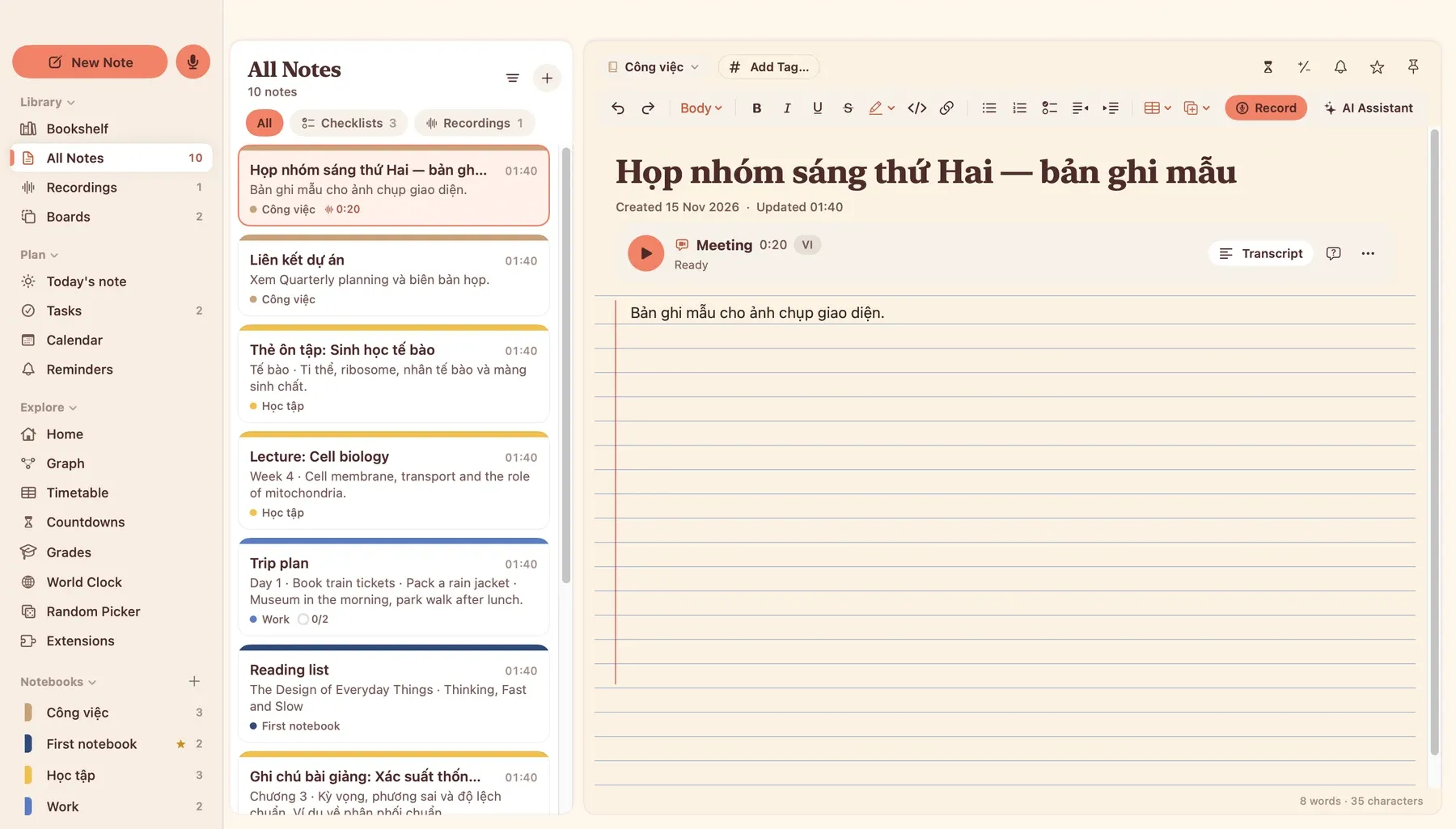
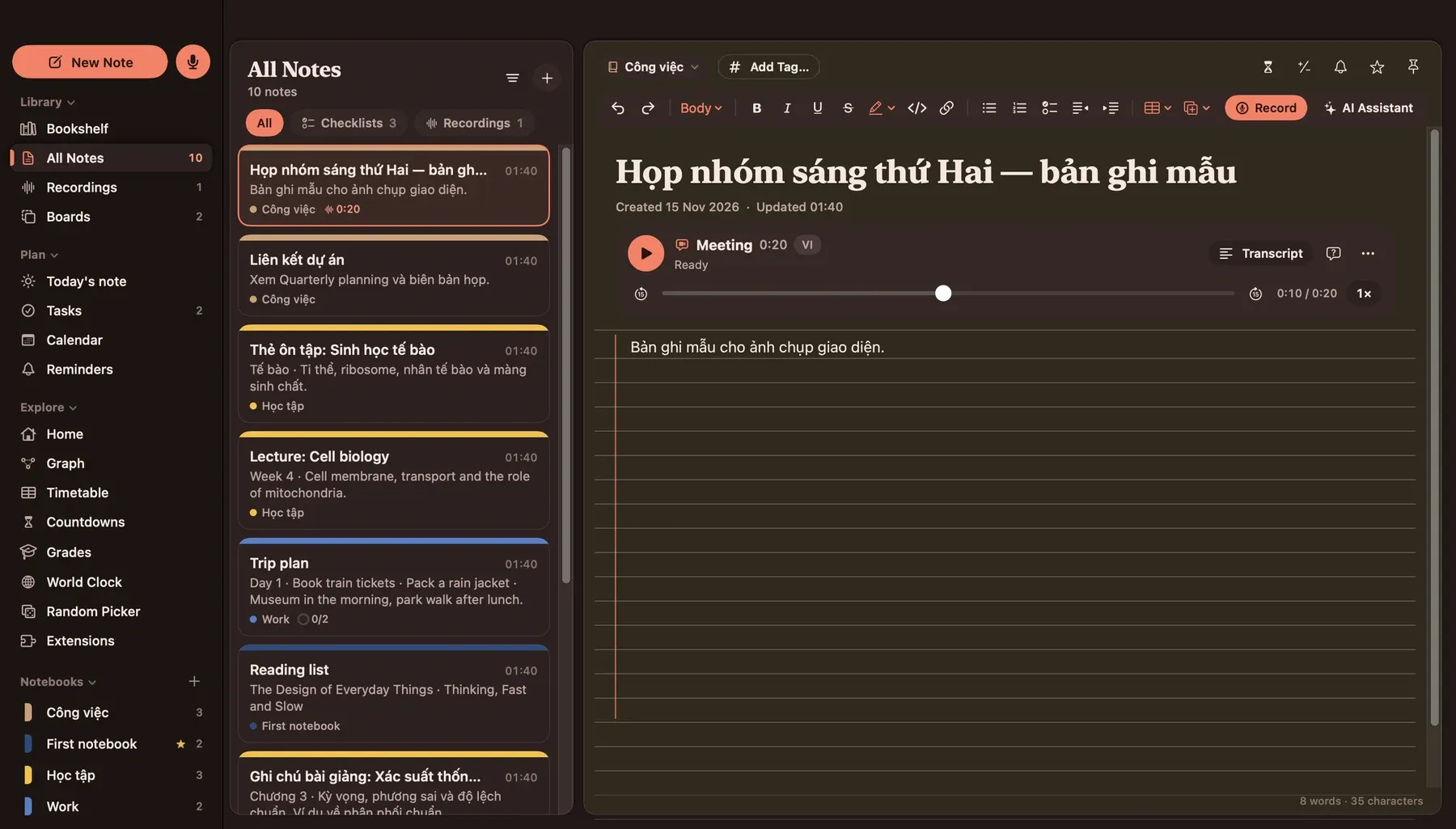
    Write, sketch and gather everything a note uses, all in the note itself.

    New

    • Pick a font and size for selected text, up to 48 pt.
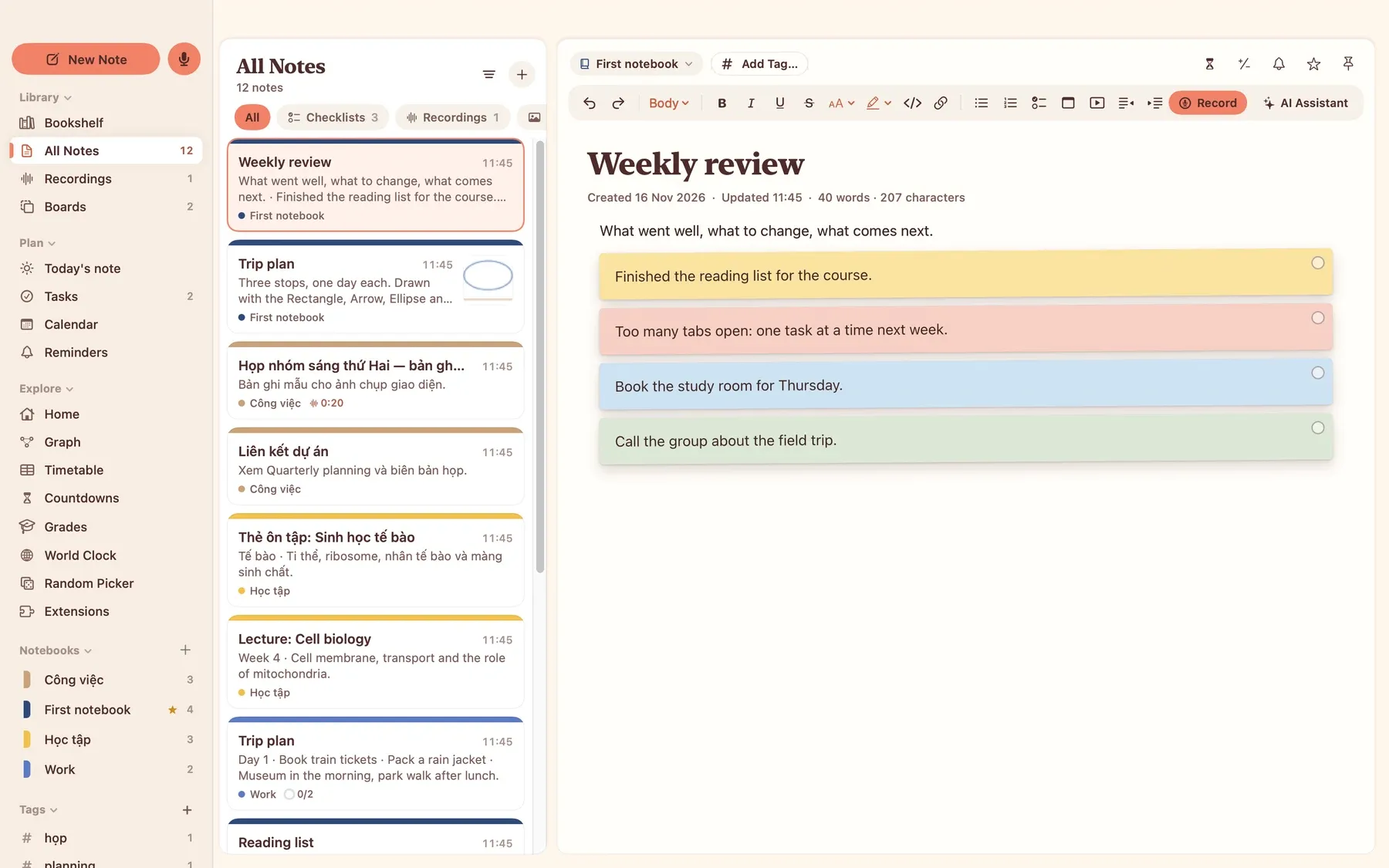
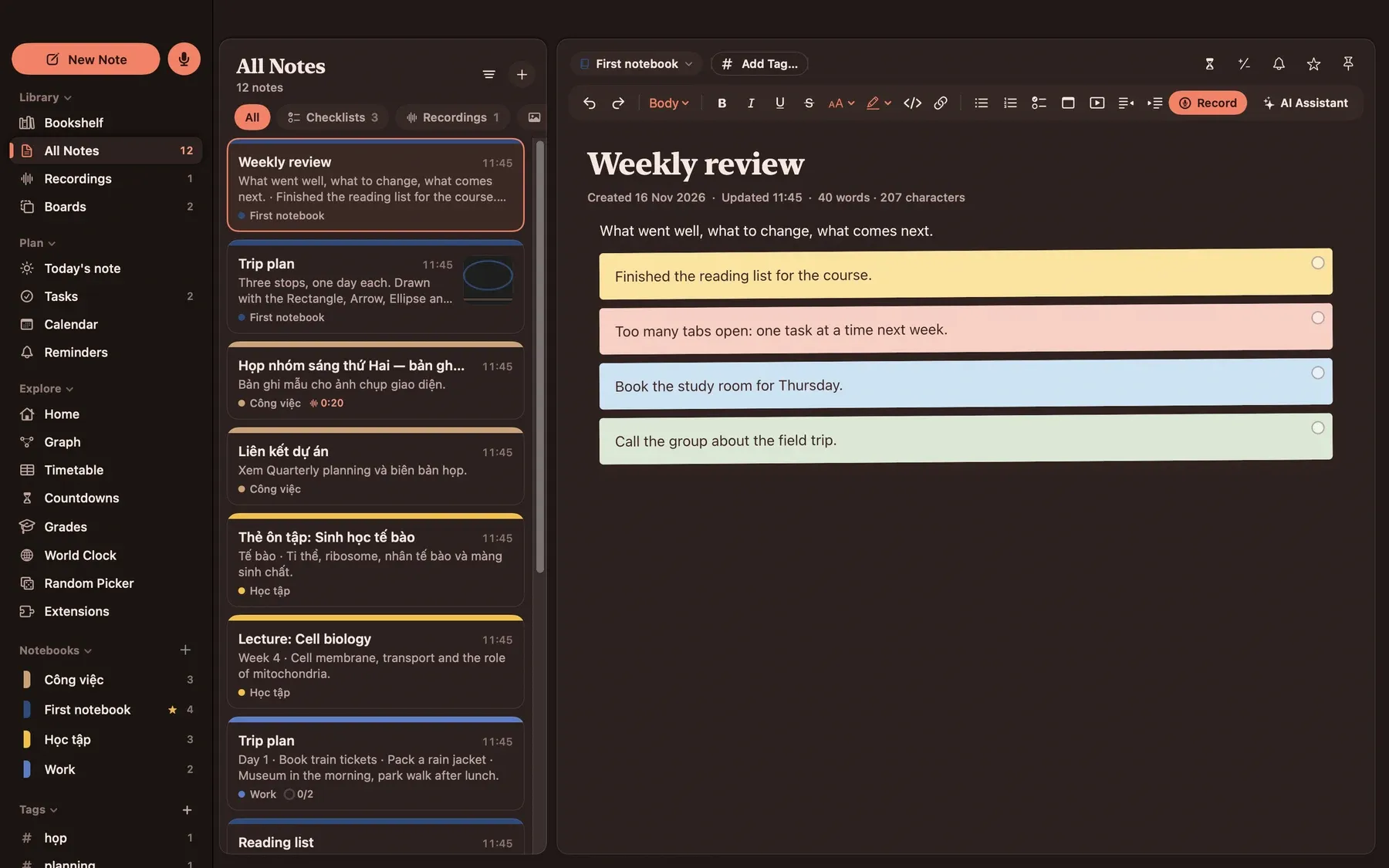
    • Sticky notes inside a note, in five colours.
    • Videos from a link play right in the note, and load only when you press play.
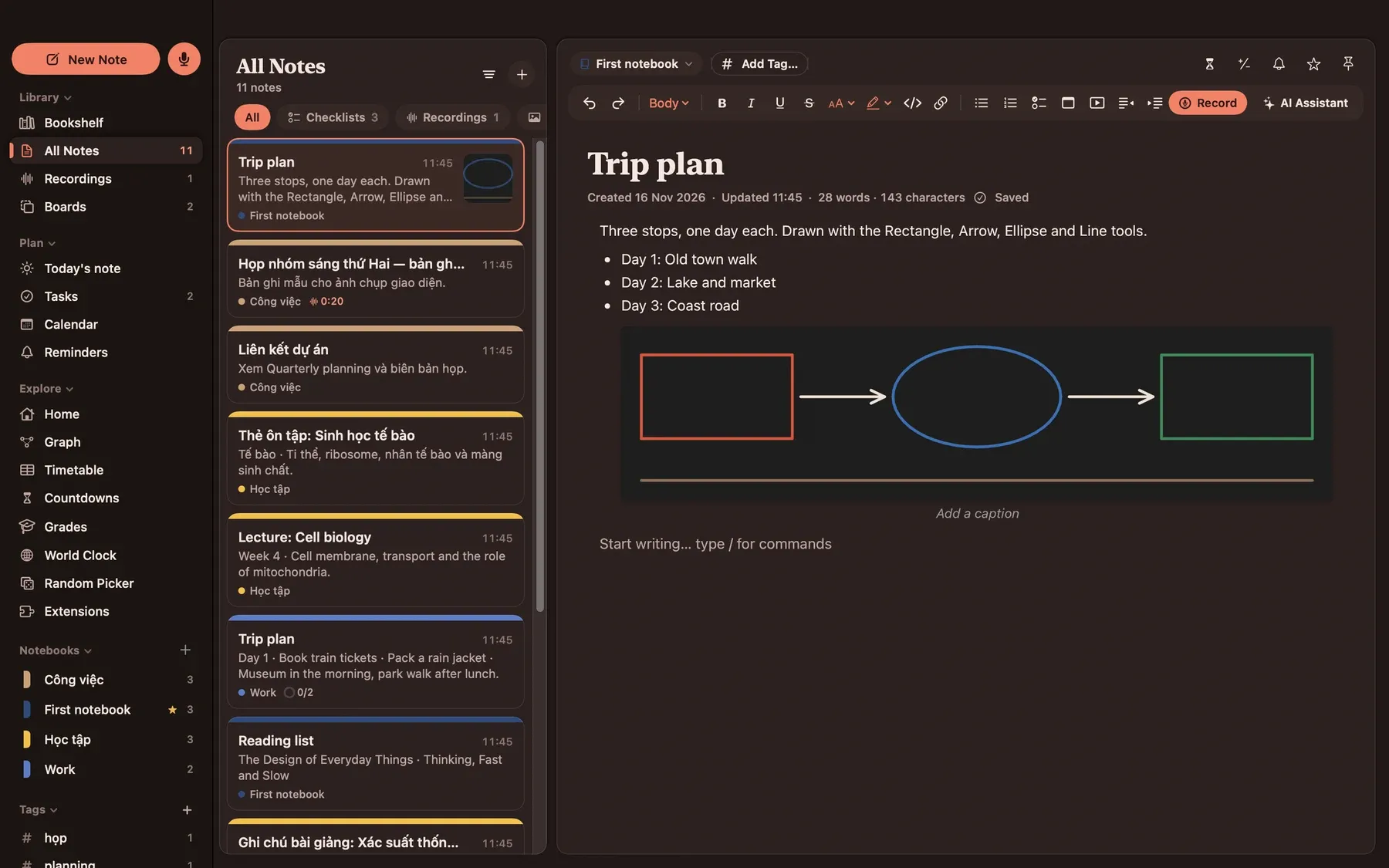
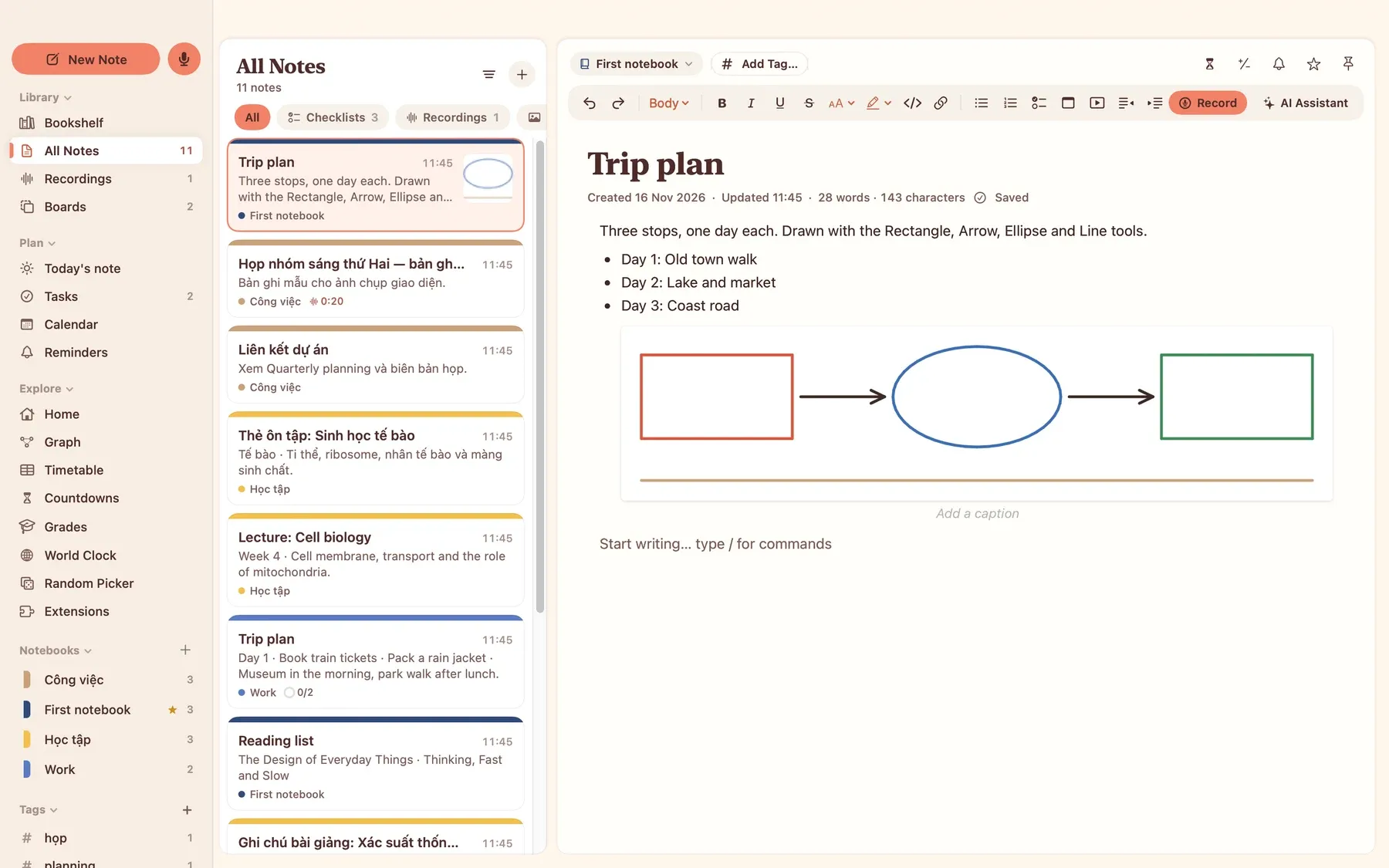
    • Sketch lines, arrows, boxes and circles that stay editable.
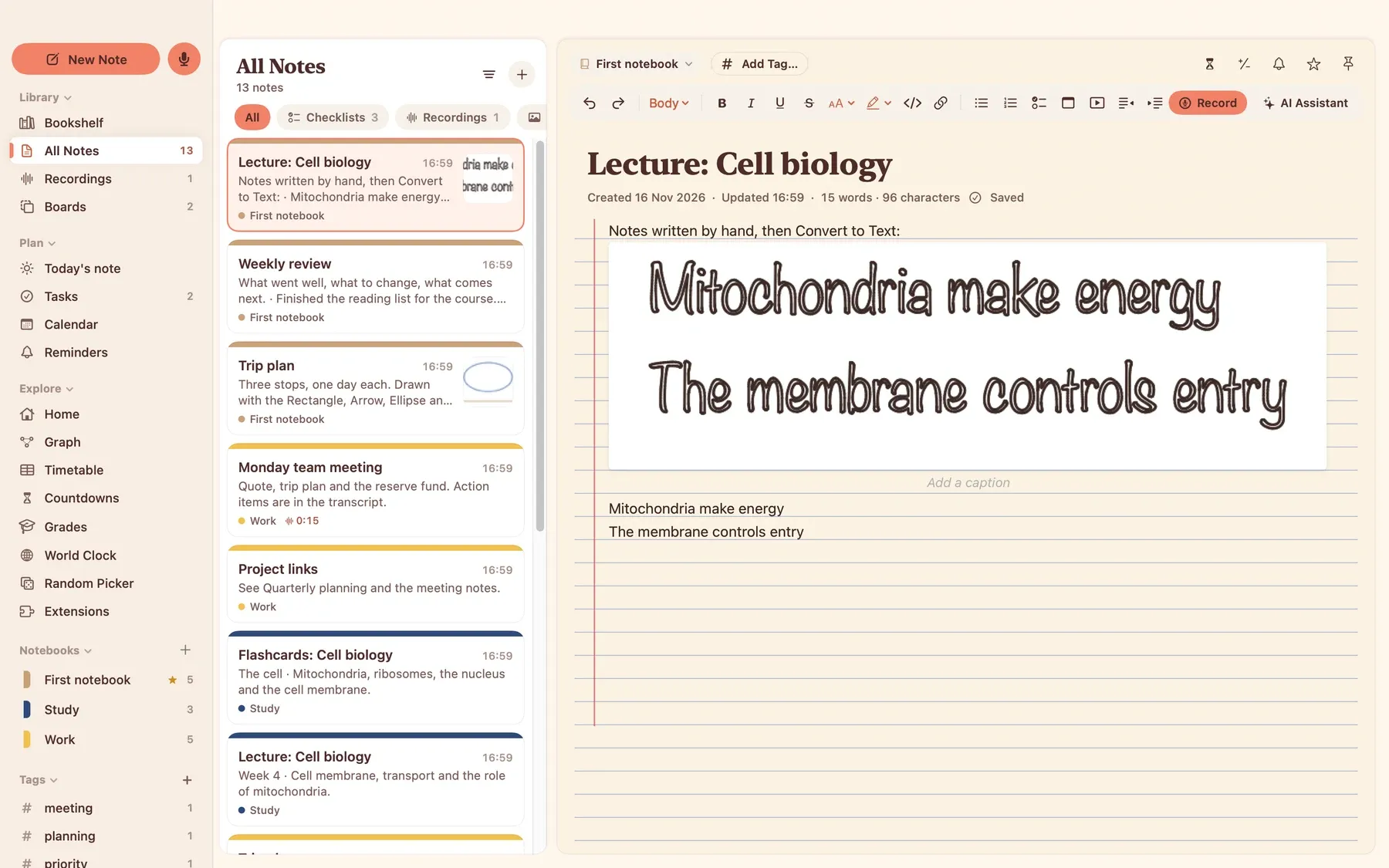
    • Turn handwriting into text on your Mac, in Vietnamese or English.

    Improved

    • Gather every picture, video, file and recording into one folder, sorted by notebook.
    MACnote 0.7.5 (1/3): Write, sketch and gather everything a note uses, all in the note itself.MACnote 0.7.5 (1/3): Write, sketch and gather everything a note uses, all in the note itself.
    MACnote 0.7.5 (2/3): Write, sketch and gather everything a note uses, all in the note itself.MACnote 0.7.5 (2/3): Write, sketch and gather everything a note uses, all in the note itself.
    MACnote 0.7.5 (3/3): Write, sketch and gather everything a note uses, all in the note itself.MACnote 0.7.5 (3/3): Write, sketch and gather everything a note uses, all in the note itself.
  4. MACnote

    0.7.4

    build 13Beta

    Notes look more like a real notebook page, top to bottom.

    Improved

    • Ruled paper reaches the bottom of the note.
    • Word count sits under the title, next to the dates.
    • One empty line follows a big title or section heading.
  5. MACnote

    0.7.3

    build 12Beta

    Paper lines match your text, summaries link to their source, and a command palette arrives.

    New

    • Command palette (⇧⌘K) lists every command with its shortcut.
    • Each point of a meeting summary links to the moment it came from.
    • AI panel sources from recordings play at the matching moment.

    Improved

    • Every line of text sits on a rule on ruled, grid, dot and Cornell paper.
    • Titles and headings take whole lines, checked at text sizes 12 to 48.
    • Pictures, tables and other blocks end on the grid.
  6. MACnote

    0.7.1

    build 10Beta

    Built-in help, two tours and a one-minute sample to try.

    New

    • MACnote Help has short articles, a search box and buttons to the places they describe.
    • Every Settings page has a ? button that opens its article.
    • "Try it in one minute" opens a sample lecture and a sample meeting.
    • Menu Tour and Settings Tour added to the Help menu.
  7. MACnote

    0.7.0

    build 9BetaMajor release

    An AI panel beside your note, instant meeting summaries and new study tools.

    New

    • AI panel (⌘J) answers from the passage, note, notebook or tag you pick, and names its sources.
    • Stopping a recording drops a draft summary into the note right away.
    • Switching the summary template rewrites the summary in place within seconds.
    • Study timer, study log with weekly goal, and a scratch pad that calculates each line.
    • Extensions page turns tools such as Timetable and Countdowns on or off.

    Improved

    • Long meetings are summarized in full, including the end.
    • Search merges keyword and meaning results into one ranking.
    • Book mode reopens on the page you left and adds a contents sidebar.
    • During calls, a card warns when system audio permission is missing.

    Fixed

    • A tag typed by hand and the same tag from a file name now merge.
    MACnote 0.7.0: An AI panel beside your note, instant meeting summaries and new study tools.MACnote 0.7.0: An AI panel beside your note, instant meeting summaries and new study tools.
  8. MACvol

    0.2.10

    build 24BetaLatest

    Notes as the team wrote them

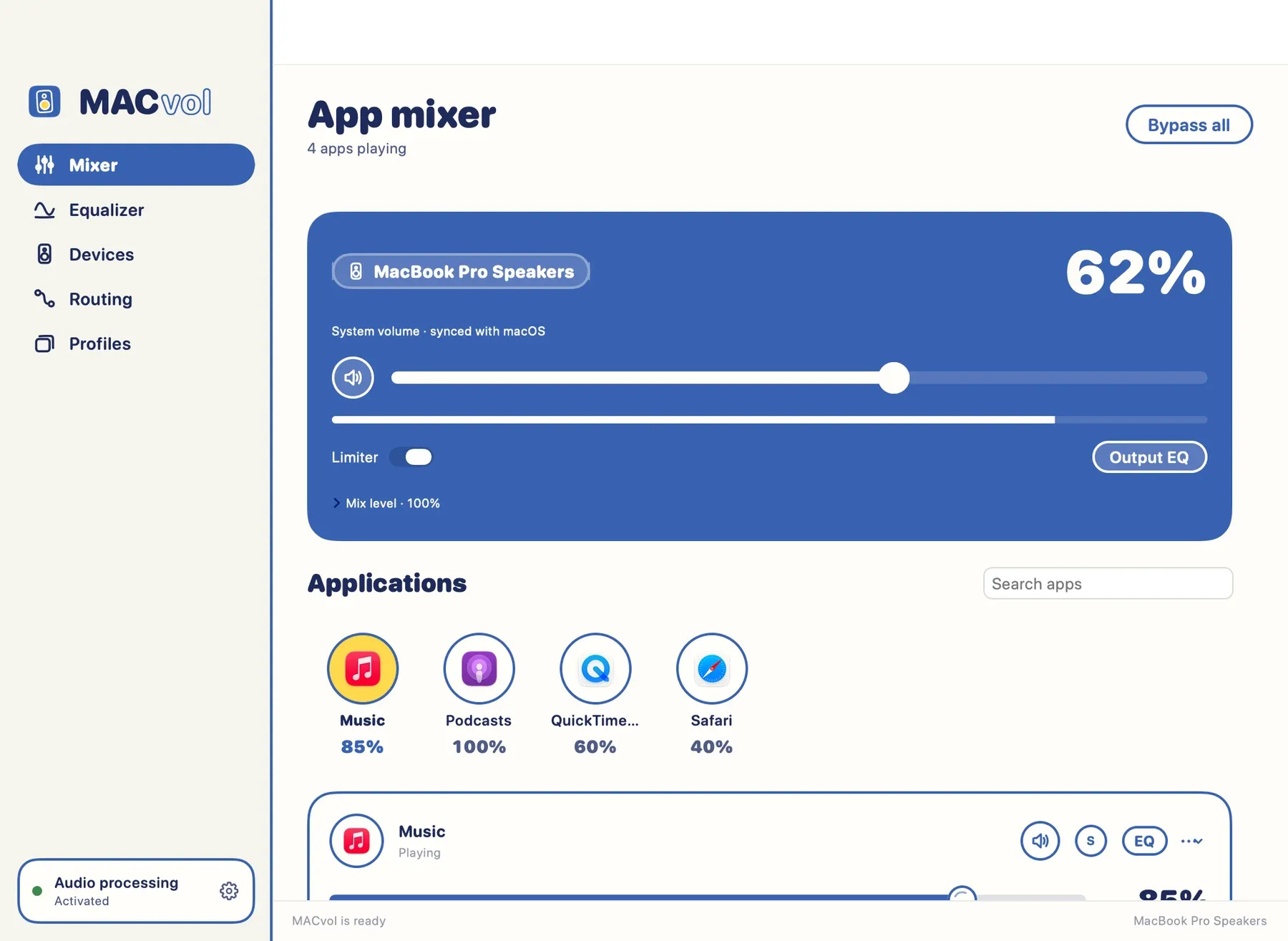
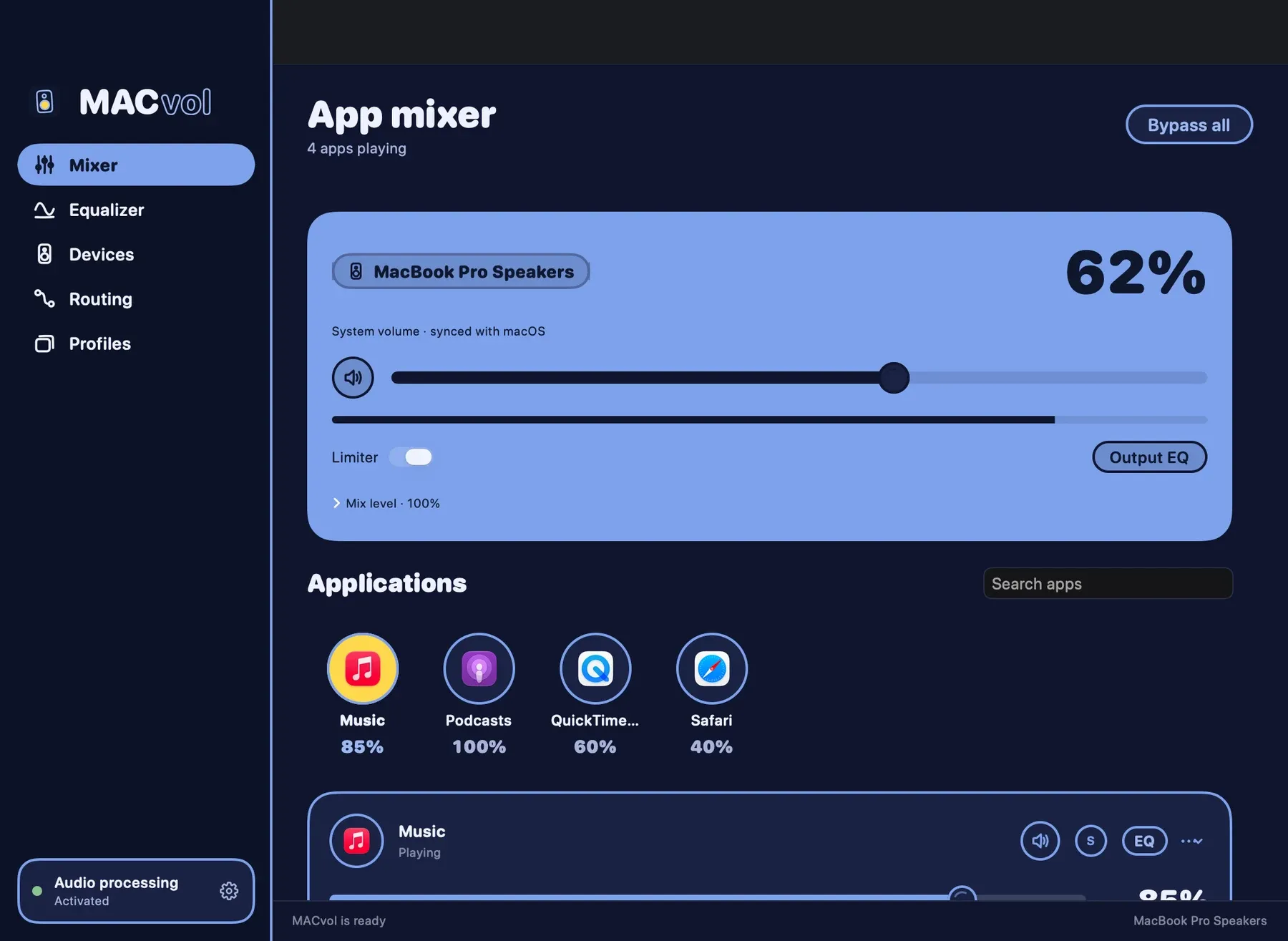
    • Private owner beta: per-app mixing, EQ, routing, profiles and signed private updates. Apple Silicon / macOS 15+.
    • Known limits: external devices and sleep/wake require physical testing. Group outputs share the primary correction. No recording, virtual microphone or Audio Unit hosting.
  9. MACvol

    0.2.9

    build 23Beta

    Notes as the team wrote them

    • Private owner beta: per-app mixing, EQ, routing, profiles and signed private updates. Apple Silicon / macOS 15+.
    • Known limits: external devices and sleep/wake require physical testing. Group outputs share the primary correction. No recording, virtual microphone or Audio Unit hosting.
  10. MACvol

    0.2.8

    build 22Beta

    Notes as the team wrote them

    • Private owner beta: per-app mixing, EQ, routing, profiles and signed private updates. Apple Silicon / macOS 15+.
    • Known limits: external devices and sleep/wake require physical testing. Group outputs share the primary correction. No recording, virtual microphone or Audio Unit hosting.
  11. MACvol

    0.2.7

    build 20BetaFix release

    Maintenance update. The notes list no changes you would see.

  12. MACvol

    0.2.6

    build 19BetaFix release

    Maintenance update. The notes list no changes you would see.

  13. MACvol

    0.2.5

    build 18BetaFix release

    Maintenance update. The notes list no changes you would see.

  14. MACget

    1.0.0

    build 20BetaLatest

    A five-page first-run guide and a full Help section explain every feature and setting.

    New

    • A five-page first-run guide: language, folder, a short test download, sync, help.
    • Help (⇧⌘/) has short illustrated articles for every feature, menu and Settings page.
    • A tour of the main window points at each button in turn.
    • A shortcut sheet (press ?) with a filter box.
    • One-time tips introduce each new feature.

    Improved

    • Help entries give the default and when to change it, plus an Open button.
    • Help search finds results even when typed without diacritics.
    • Every Settings group has a (?) button, and every row has an explanation.
    • The About page links to Support, Privacy, Terms, Refunds and Pricing.
  15. MACget

    1.0.0

    build 19BetaMajor release

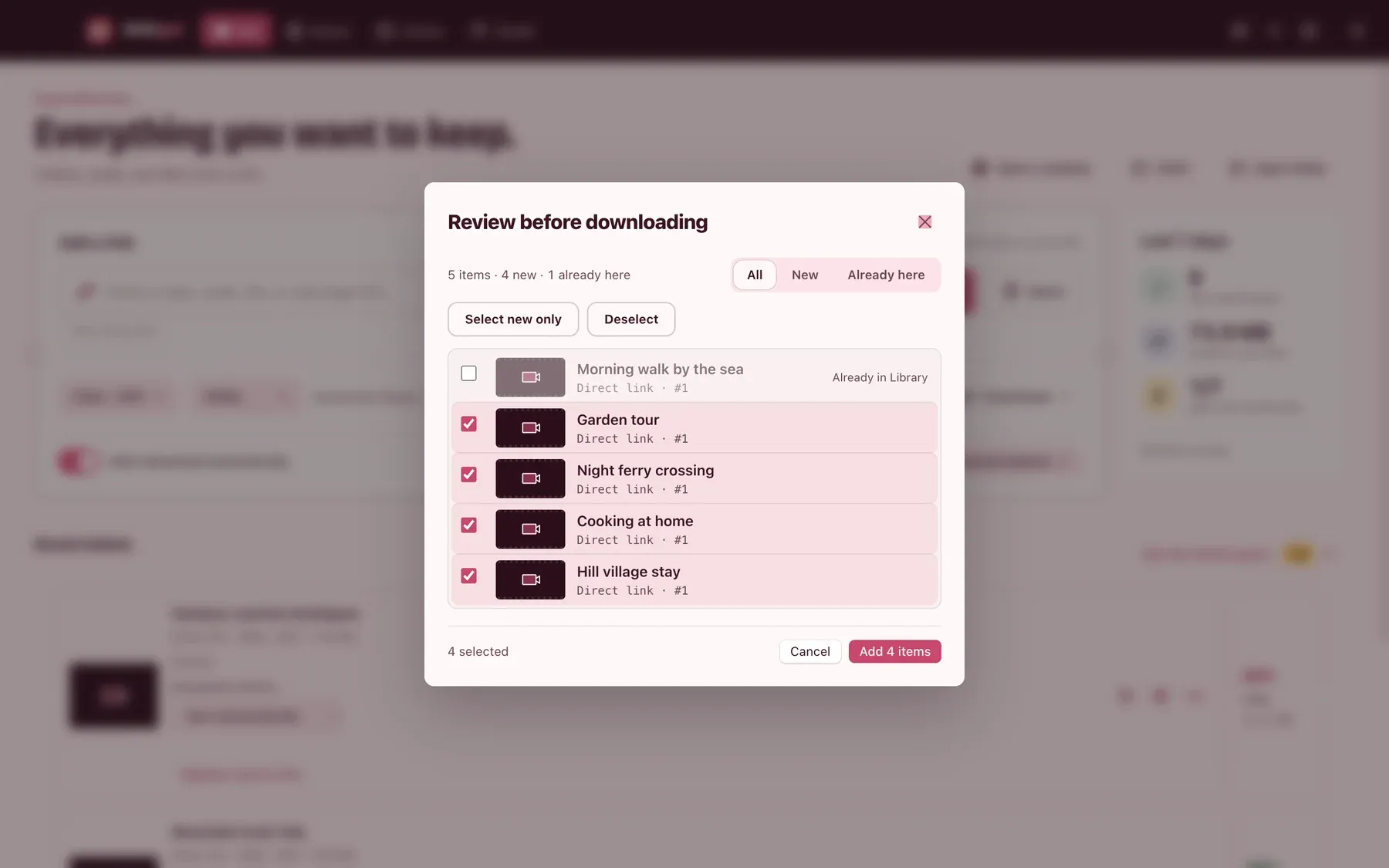
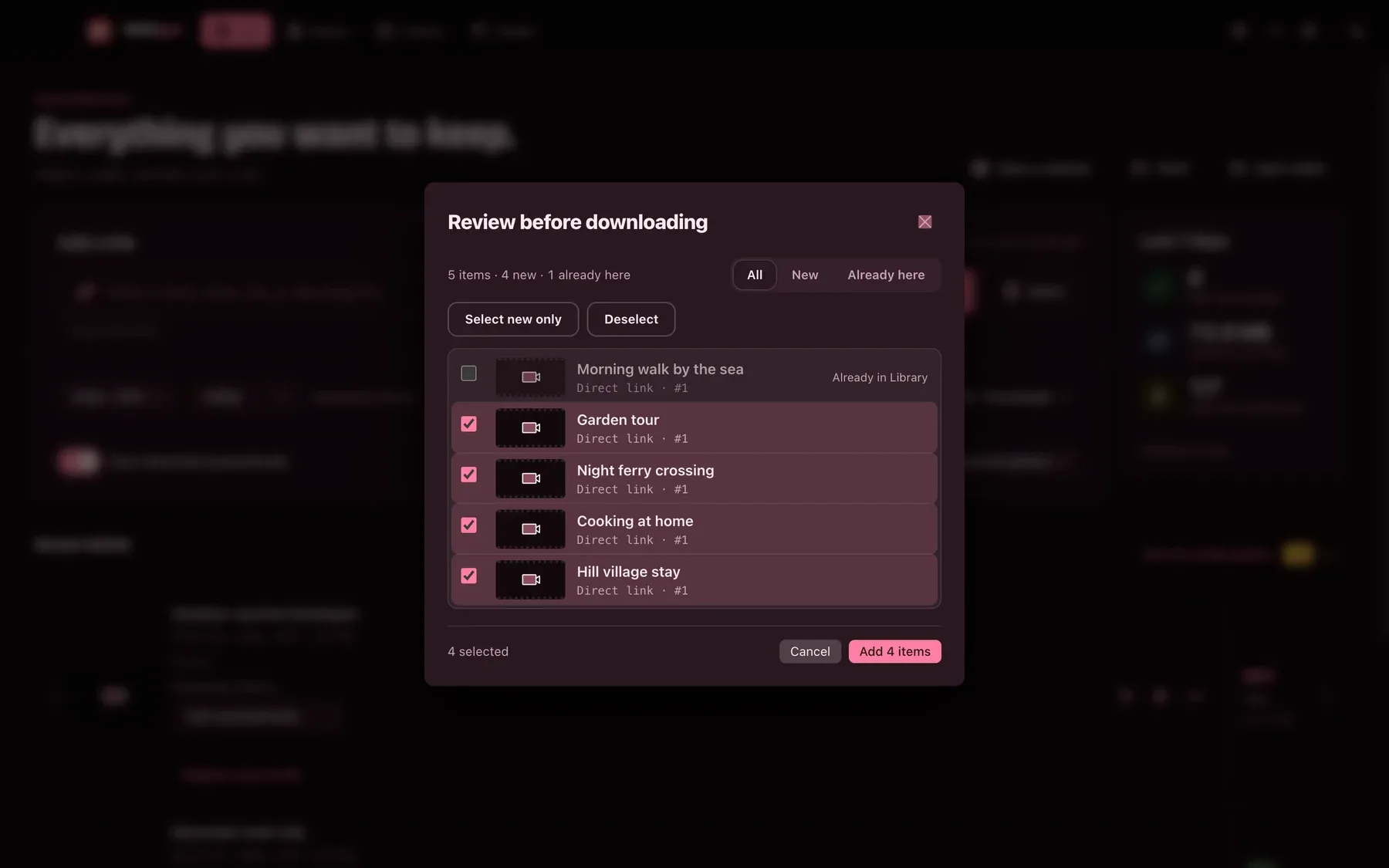
    Preview pasted links, playlists and channels before downloading, with clearer progress and errors.

    New

    • Preview before downloading: paste several links, a playlist or a channel and pick items.
    • Items already downloaded, including on another Mac, are marked in the preview.
    • You can follow a channel straight from the preview.
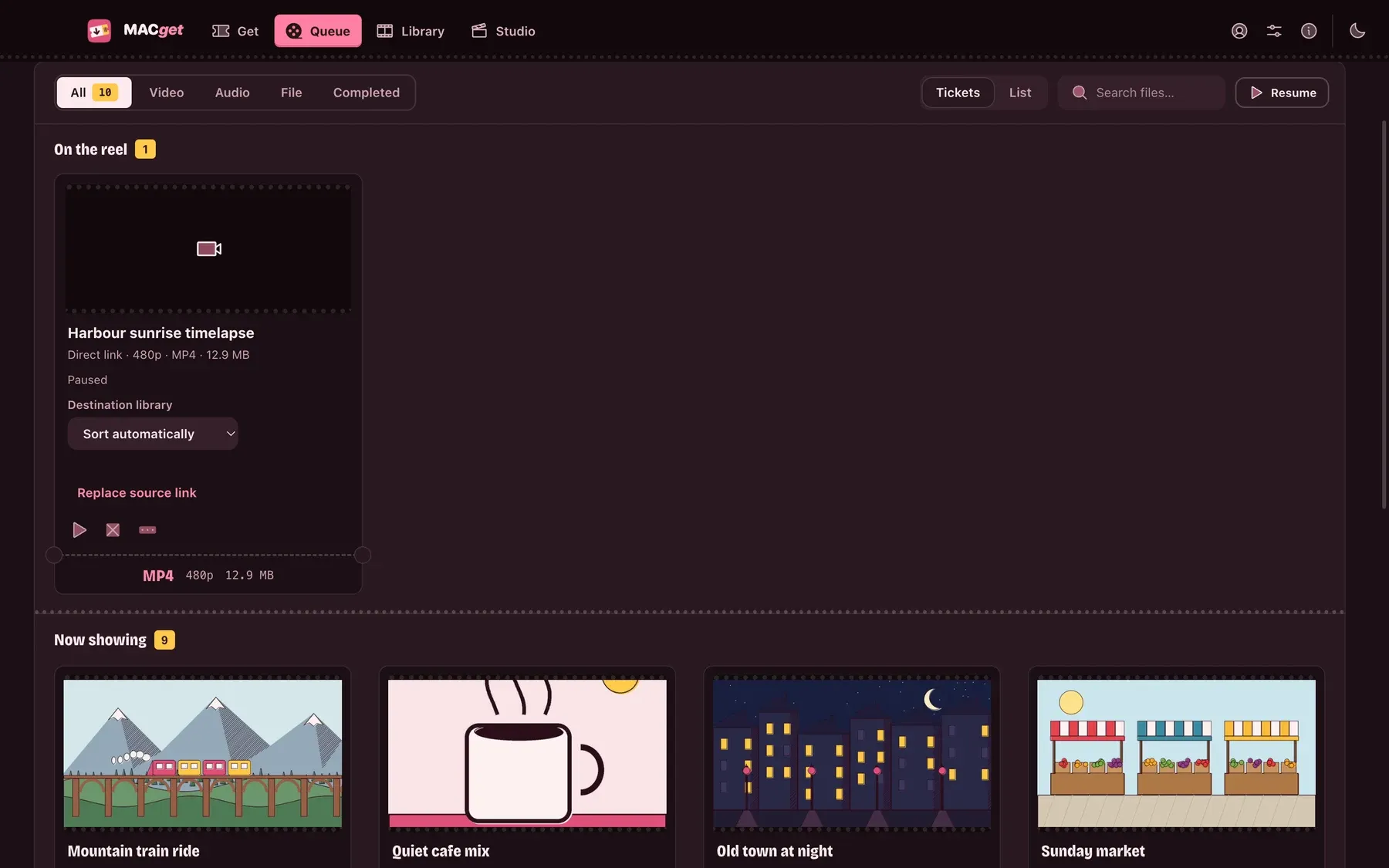
    • In Queue, finished jobs form a wall of cover tickets; drag one out to Finder.
    • Videos from direct links or Studio exports get a cover frame automatically.

    Improved

    • Progress shows each step: picture, sound, merging, writing info.
    • A download error now says the cause and the fix in one sentence, with a button.
    • Downloaded MP4s open in QuickTime, Photos, iMovie and on iPhone.
    • The download engine updates itself, checks signatures and can roll back.

    Fixed

    • The progress bar no longer jumps back to 0 when audio starts downloading.
    MACget 1.0.0: Preview pasted links, playlists and channels before downloading, with clearer progress and errors.MACget 1.0.0: Preview pasted links, playlists and channels before downloading, with clearer progress and errors.
  16. MACgrid

    0.3.19

    build 127BetaLatest

    Notes as the team wrote them

    • Agent AI và script giờ phải được bạn cho phép một lần trước khi đọc danh sách cửa sổ hay đổi dữ liệu đã lưu. MacGrid hiện một lời hỏi nhỏ ở góc trên phải, ghi rõ chương trình nào đang hỏi. Xem và bỏ các agent đã cho phép trong Cài đặt › Dữ liệu › Agent đã cho phép.
  17. MACgrid

    0.3.18

    build 126Beta

    Notes as the team wrote them

    • Làm mờ cửa sổ nền: chỉ cửa sổ bạn đang dùng còn rõ, các cửa sổ phía sau được phủ màu. Lắc nhanh con trỏ sang trái phải, dùng phím tắt, hoặc để luôn bật. Có thể thêm viền màu cho cửa sổ đang dùng, chọn độ mờ, màu, và các app không bao giờ làm mờ. Bật trong Cài đặt › Giao diện.
  18. MACgrid

    0.3.17

    build 125Beta

    Notes as the team wrote them

    • Chọn Trang chủ Gọn hoặc Đầy đủ trong Cài đặt › Giao diện. Gọn chỉ có màn hình, bố cục và workspace, thoáng hơn. Đầy đủ là bảng tiện ích như trước, sắp xếp được.
    • Cài đặt › Dữ liệu có thêm Hoạt động của agent: xem agent AI hay script nào đã xin danh sách cửa sổ hoặc ghi đè dữ liệu, và lúc nào.
    • Lệnh xoá hay ghi đè dữ liệu từ agent giờ cần xác nhận, và MacGrid sao lưu trước khi nhập bố cục.
  19. MACgrid

    0.3.16

    build 124Beta

    Notes as the team wrote them

    • Khi gửi email đăng nhập đang quá tải, MacGrid gợi ý dùng khoá giấy phép thay vì báo lỗi chung.
    • Đăng nhập bằng email: nếu bạn thử quá nhiều lần, MacGrid nói rõ cần chờ bao nhiêu phút.
    • Bảo mật giấy phép chặt hơn trước khi MacGrid lên bản thương mại.
  20. MACgrid

    0.3.15

    build 123Beta

    Notes as the team wrote them

    • Đăng nhập ngay trong MacGrid: vào Cài đặt › Giấy phép, nhập khoá giấy phép (hoặc email, khi đăng nhập bằng email được bật), máy Mac này tự ghép vào giấy phép, không cần chờ duyệt. Nếu giấy phép đã dùng trên đủ số máy, bạn chọn bỏ một máy ngay tại đó.
    • Chưa có giấy phép thì có nút Dùng thử miễn phí và Mua MacGrid.
    • Trang chủ: hàng Bố cục giãn hết chiều ngang, ô Bài hướng dẫn có thêm hai bài kế tiếp.
  21. MACgrid

    0.3.14

    build 122Beta

    Notes as the team wrote them

    • Có Trang chủ mới: mở từ menu MacGrid bằng "Trang chủ…", hoặc từ bảng lệnh. Trang chủ cho thấy màn hình và cửa sổ của bạn dưới dạng khối màu, số lần snap hôm nay, Sắp xếp, workspace, bố cục đã lưu, một bài hướng dẫn, phím tắt và chỗ mỗi app hay mở cửa sổ. Bấm vào một khối để dùng nó ngay.
    • Bấm "Sửa Trang chủ" để kéo tiện ích sang chỗ khác, kéo góc để đổi cỡ, bỏ hoặc thêm tiện ích, và ẩn số lần snap. Số này chỉ đếm trên máy của bạn, không gửi đi đâu.
    • Trang chủ tự mở một lần sau khi bạn xong hướng dẫn bắt đầu.
  22. MACgrid

    0.3.13

    build 121Beta

    See every Simpel app from the Licence tab.

    New

    • The Licence tab has a Simpel apps row: the apps you own are in colour, the others are grey.
    • Click an app to open its page on simpeltool.app.
  23. MACgrid

    0.3.12

    build 120Beta

    Your licence is easy to check, and it never locks your windows or layouts.

    New

    • A Licence page shows your plan, update end date and the Macs using it, up to two.

    Improved

    • Keeps working offline, and checks itself for tampering.
    • New installs have keyboard shortcuts on; existing ones keep your choice.
    • The first-run guide has bigger pictures and a short drag animation.
  24. MACfan

    0.20.1

    build 44BetaLatest

    Tighter agent access

  25. MACfan

    0.20.0

    build 43Beta

    You decide which agents may set the fans

    Notes as the team wrote them

    • An AI agent or script that wants to set fan speeds or replace saved settings now asks you once. MACfan shows a notification with Allow and Deny that names the agent and the real program behind it, and the same question appears in the menu bar panel. Settings › Agents lists the agents you allowed, with Revoke and Revoke all. Agents can still read temperatures and choose Automatic or a saved preset without asking.
  26. MACfan

    0.19.0

    build 42Beta

    Menu bar meters and Keep awake

    Notes as the team wrote them

    • Settings › Menu bar can also show CPU use, memory use and network speed next to the temperature; all are off until you turn them on. Keep awake in the menu bar panel stops your Mac sleeping for 15 minutes to 4 hours, or until you turn it off. It ends on its own when the time is up or when you quit MACfan.
  27. MACfan

    0.18.0

    build 41Beta

    Compact or Full Overview

    Notes as the team wrote them

    • Settings › Appearance › Overview layout: Full shows the drawing of your Mac with its heat map and airflow; Compact shows only your widgets and is lighter on the CPU. With the window closed, the menu bar reading updates every 4 seconds. Agent commands now have a risk class and are written to a local audit log.
  28. MACfan

    0.17.3

    build 40Beta

    Lighter menu bar

    Notes as the team wrote them

    • The menu bar item redraws only when its text changes, and background status checks run less often while the window is closed.
  29. MACfan

    0.17.2

    build 39Beta

    Quiet in the background

    Notes as the team wrote them

    • When MACfan's window is closed, covered or minimized, it no longer redraws it, so it uses almost no CPU while you work in other apps.
  30. MACfan

    0.17.1

    build 38Beta

    Lighter, and stays where you left it

    Notes as the team wrote them

    • MACfan now redraws only the parts of its window whose numbers changed, so it uses much less CPU. After an update or at login it comes back the way it was: if the window was closed, it stays in the menu bar.
  31. MACfan

    0.17.0

    build 37Beta

    Presets as pictures

    Notes as the team wrote them

    • Each preset is now a card with its own picture: a desk at night for quiet presets, an afternoon desk for balanced ones, a workshop for heavy work and the fan itself at full wind. MACfan picks the picture from how hard the preset cools; choose another in the preset editor under Picture. The Preset module on the Overview shows it too.
  32. MACdrive

    4.24

    build 39BetaLatestFix release

    Bars, rings and maps now show exactly the numbers they stand for.

    Fixed

    • An empty drive shows an empty capacity bar and ring, not a small filled part.
    • Share bars in Space Scan match the percentage beside them.
    • Small tiles in the space map keep their true size.
    • Drive cards turn orange at the low-space threshold you set.
    • The scan progress bar no longer turns orange near the end.
  33. MACdrive

    4.23

    build 38Beta

    Help now explains every menu, Settings page and important button.

    New

    • Help articles for every menu, the menu bar icon, every Settings page and the key buttons of each screen.
    • Each article says what the item does, when to change it and its default, with an Open This button.

    Improved

    • Each Settings page has a (?) button that opens its article.
    • Settings without a description line now show a tooltip.
    • The tour also stops at the menu bar icon and the menus.
  34. MACdrive

    4.22

    build 37Beta

    New users get a welcome guide, and Help gains lessons, a tour and a shortcut sheet.

    New

    • A five-page welcome guide with a read-only health check you can try and a plain explanation of Full Disk Access.
    • The guide opens once on a new install and any time from Help.
    • MACdrive Help has eight short lessons with pictures, search and a Try It button.
    • A tour of the main screens, a Keyboard Shortcuts sheet (Command-/) and short one-time tips.

    Improved

    • Command-1 to Command-9 now switch screens.
    • MACdrive is now made by Simpel. About links to support, pricing, privacy, terms and refunds.
  35. MACdrive

    4.21

    build 36BetaMajor release

    You can see each file before you clean it, with a preview, name, folder, size and date.

    New

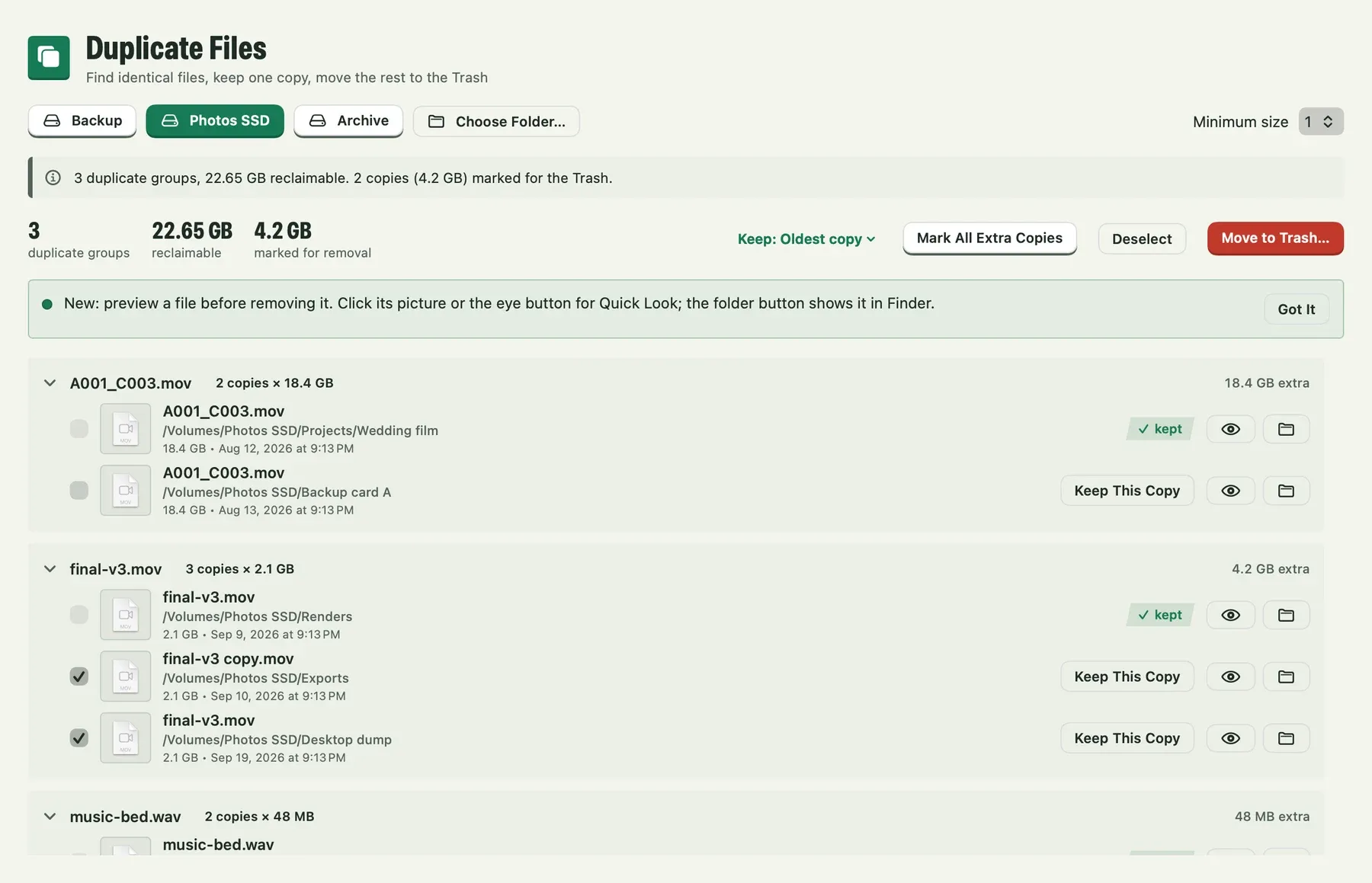
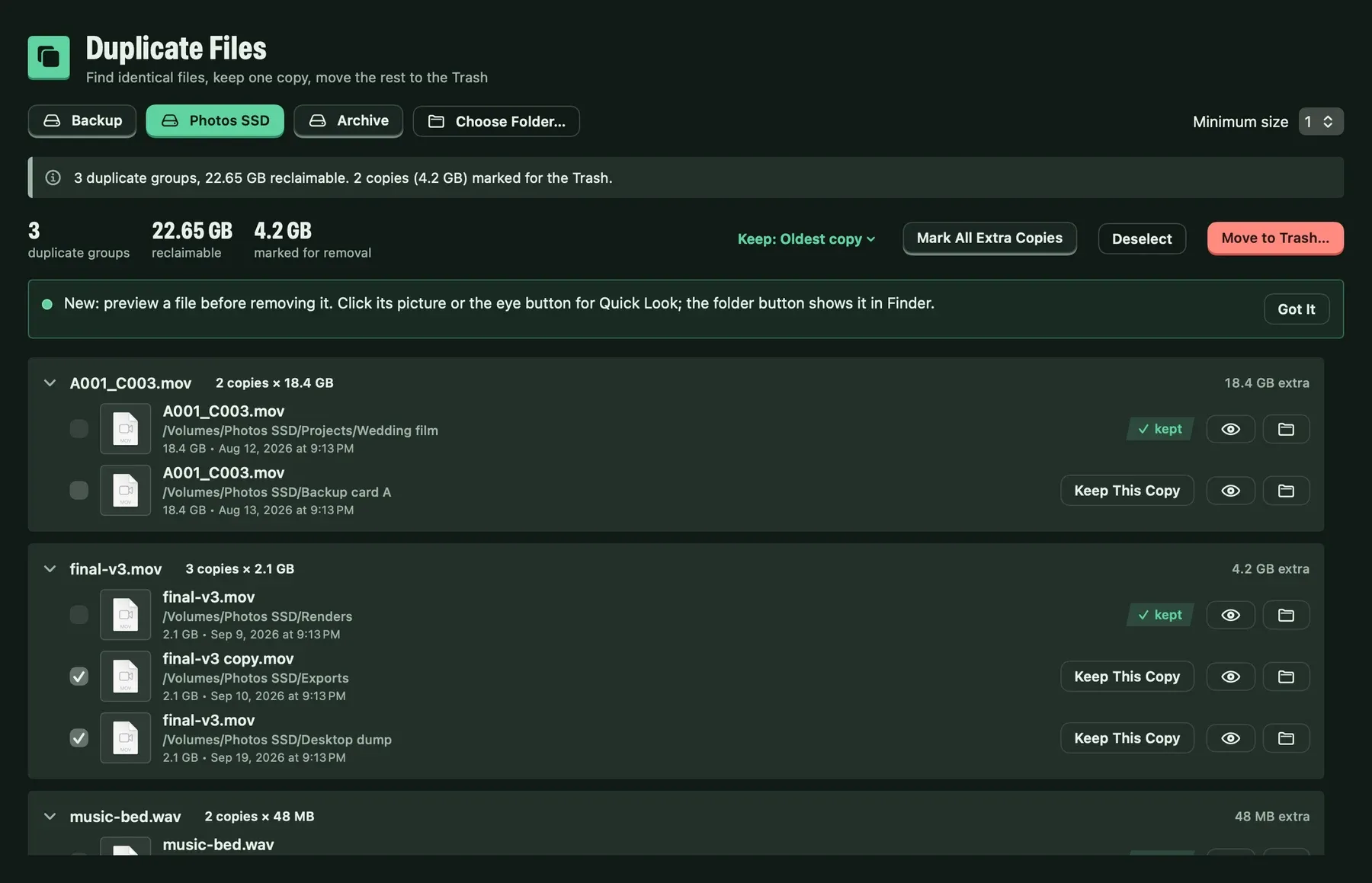
    • Rows in Duplicate Files, scan results, the Clean List, Cleanup and Review show a thumbnail or type icon.
    • Each row also shows the file's name, folder, size and date.
    • Click the picture or the eye button to open Quick Look. In Duplicate Files the arrow keys step through the copies.
    • A folder button shows the file in Finder.
    MACdrive 4.21: You can see each file before you clean it, with a preview, name, folder, size and date.MACdrive 4.21: You can see each file before you clean it, with a preview, name, folder, size and date.
  36. MACdrive

    4.20

    build 35BetaMajor release

    Copy & Verify now proves the copy is on the disk, and leaves a receipt.

    New

    • Every finished copy leaves a readable receipt page, a JSON file for scripts and an ASC MHL manifest with xxHash64 per file.
    • Show Receipt opens it.

    Improved

    • Every check re-reads the copy from the drive with the memory cache off.
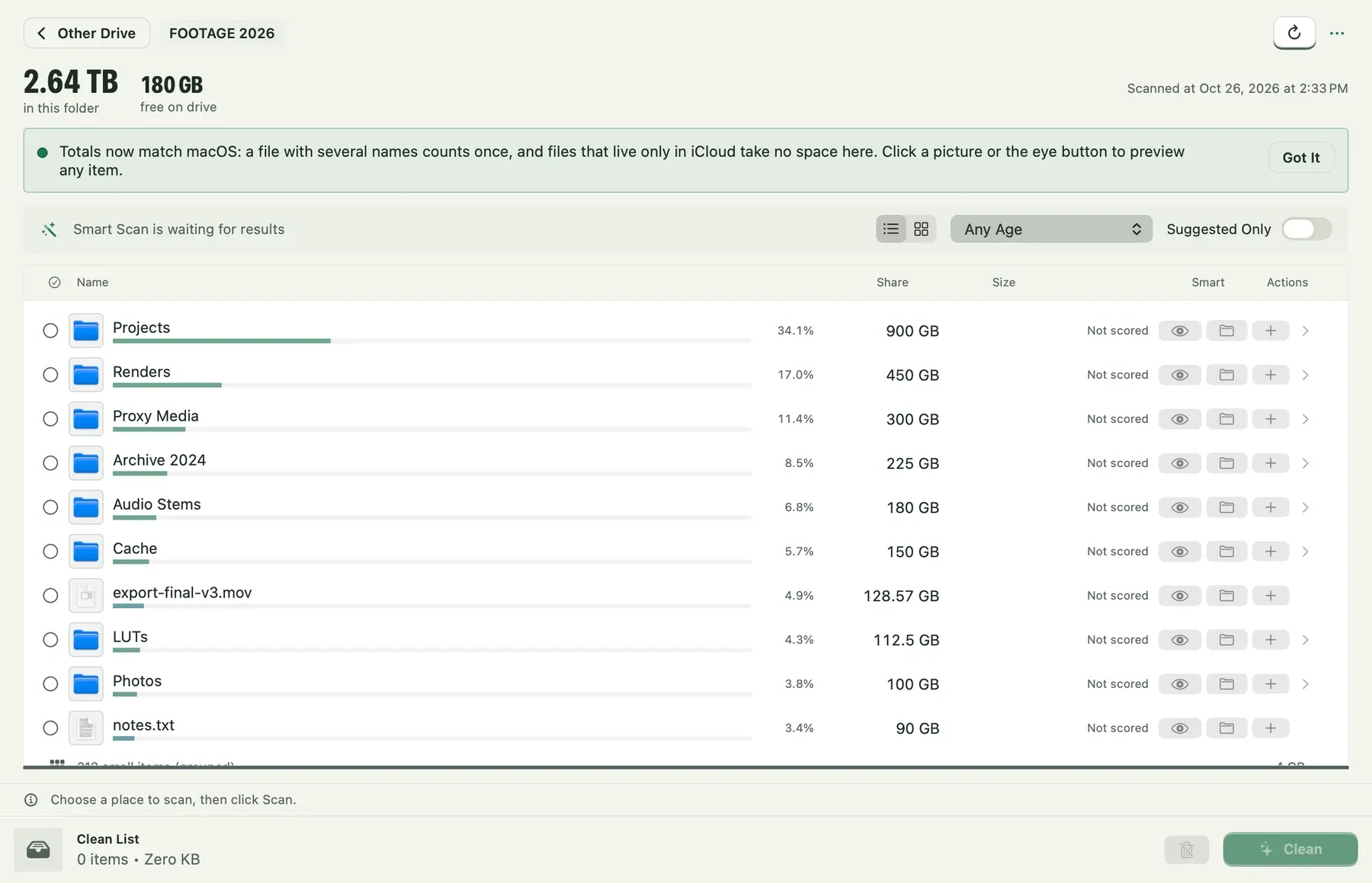
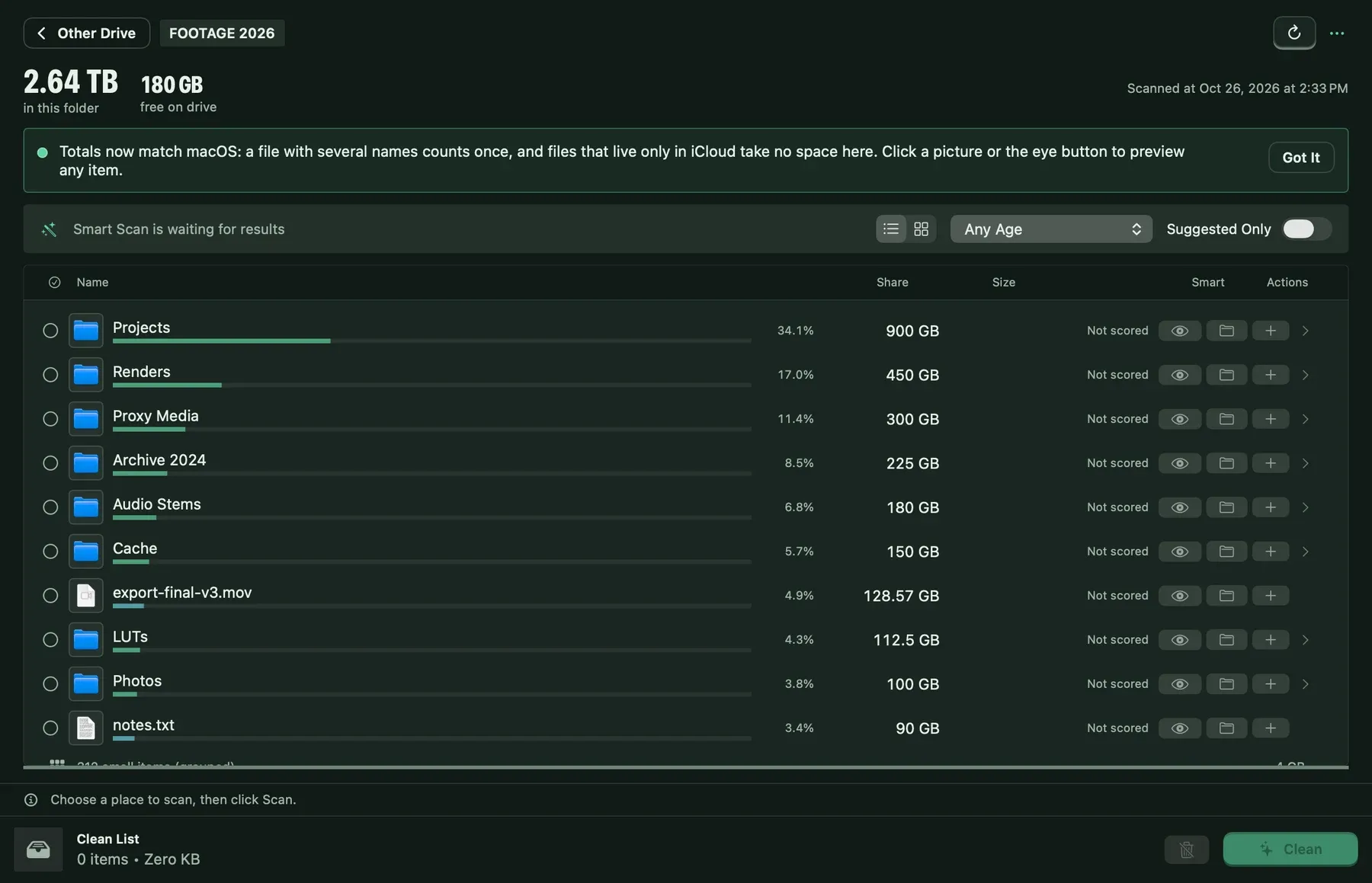
    • Disk scan totals now match the Mac's own count, and files that only live in iCloud or Dropbox count as zero.
    • Duplicate Files shows the space you really get back once the Trash is emptied.
    • Duplicate Files remembers what it read on each drive, so searching an unchanged drive again is fast.
    • Long scans, copies, duplicate searches and speed tests keep the Mac from sleeping until they finish.

    Fixed

    • Copy checks could read the data back from memory instead of the disk.
    MACdrive 4.20: Copy & Verify now proves the copy is on the disk, and leaves a receipt.MACdrive 4.20: Copy & Verify now proves the copy is on the disk, and leaves a receipt.
  37. MACdrive

    4.19

    build 34Beta

    Drive Health now says in plain words how a drive's saved readings have changed over time.

    New

    • Trend on this drive in Drive Health › Overview covers temperature range, endurance used, media errors and unsafe shutdowns.
    • Each line has a status light and a small chart of its values.
    • New media errors or a temperature well above the drive's usual are marked for attention.
    • Only readings from the same drive, source and firmware are compared. It is observed data, not a forecast.
  38. MACget

    1.0.0

    build 17BetaMajor release

    A four-tab layout, macOS-style Settings, device-ready conversion and a Safari extension.

    New

    • Four tabs: Download, Queue, Library and Studio. Shelf opens as a side panel.
    • The Download tab is just the paste box and your three latest items.
    • Convert for WhatsApp (under 16 MB), email (under 25 MB) or iPhone, several videos at once.
    • A Safari extension adds Download with MACget to the toolbar and link menu.
    • The first-run screen is down to three cards: language, folder, sync.

    Improved

    • Settings follow macOS conventions: grouped forms, one setting per row, six groups.
    • The Safari extension only sends the link to MACget; it never downloads on its own.

    Fixed

    • Sync no longer forgets its folder after the app reopens.
    MACget 1.0.0: A four-tab layout, macOS-style Settings, device-ready conversion and a Safari extension.MACget 1.0.0: A four-tab layout, macOS-style Settings, device-ready conversion and a Safari extension.
  39. MACdrive

    4.18

    build 33BetaMajor release

    Scans now show what grew since last time, and every Settings page follows the macOS standard.

    New

    • When a scan finishes, a strip on the results screen shows what grew and what was freed since the previous scan of the same place.
    • New and gone items are marked, and clicking a row opens its folder.
    • The list follows the folder you are viewing and survives a relaunch.
    • The first scan after updating, and a scan stopped early, have nothing to compare.

    Improved

    • Every Settings page is a grouped system form: one setting per row, with the name on the left and the control on the right.
    • The drive label sheet and the Account & License window use the same layout. No setting changed its meaning or stored value.
    MACdrive 4.18: Scans now show what grew since last time, and every Settings page follows the macOS standard.MACdrive 4.18: Scans now show what grew since last time, and every Settings page follows the macOS standard.
  40. MACnote

    0.6.2

    build 7Beta

    Books on the shelf now look like real objects with materials.

    New

    • Choose a cover material: cloth, leather, kraft or smooth card.

    Improved

    • Books are matte by default and lit by one soft light from the upper left.
    • Books have visible board thickness, inset pages and a hinge groove.
    • Labels look like paper stickers, with a small shadow where they lift.
    • Shelf planks show wood grain, a front lip and a soft wall shadow.
  41. MACvol

    0.2.4

    build 17BetaMajor release

    Set MACvol up once and your other Macs follow; mute the mic from the keyboard.

    New

    • Settings sync between Macs.
    • A keyboard shortcut mutes the microphone.
    MACvol 0.2.4: Set MACvol up once and your other Macs follow; mute the mic from the keyboard.MACvol 0.2.4: Set MACvol up once and your other Macs follow; mute the mic from the keyboard.
  42. MACvol

    0.2.3

    build 16Beta

    Fewer keychain prompts, a faster audio engine and shortcuts for the front app.

    New

    • Keyboard shortcuts act on the frontmost app.
    • A pause option for calls.

    Improved

    • The audio engine runs faster.
    • Interface motion has been refined.

    Fixed

    • The keychain no longer asks for permission.
  43. MACget

    1.0.0

    build 16Beta

    Sync settings between your Macs through a shared folder, and check your library for strays.

    New

    • Sync between Macs through a shared folder such as iCloud Drive.
    • Download defaults, presets, followed channels and history sync; the newest change wins.
    • Folders, cookies, sign-ins, proxy and license are never synced.
    • Library check finds leftover partial downloads, unlisted files and missing files.

    Improved

    • Large libraries stay smoother while you edit them.
    • Page changes have a light animation, turned off by Reduce Motion.
  44. MACget

    1.0.0

    build 15Beta

    Large libraries scroll faster, motion feels like a film reel, and Smart Mode downloads on paste.

    New

    • Smart Mode (Settings > Downloads): paste, drop or open a link and it downloads at once.
    • The Dock icon shows overall progress and the number of active and waiting downloads.

    Improved

    • Queue and Library lists fade in as you scroll and redraw only the rows that changed.
    • The Library no longer rescans every file on each progress update.
    • Film-reel motion: a sliding progress strip and tickets that slide in and tear off.
    • Motion respects the Reduce Motion setting.
  45. MACget

    1.0.0

    build 14Beta

    Three more languages, and MACget can follow your Mac's language.

    New

    • The interface, menus and notifications are available in Korean, Simplified Chinese and Japanese.
    • A Follow system option uses your macOS language.

    Improved

    • The Services menu names are translated too.
  46. MACdrive

    4.17

    build 32Beta

    Drive Overview opens with the drives it saw last time, and scan results load as you scroll.

    New

    • Settings › Catalog & History lists every store MACdrive keeps, with its size and a database check.
    • Move Old Scan Logs to Trash keeps the newest three and can be undone from the Trash.

    Improved

    • Drive Overview shows the last-seen drives at once, read-only and marked updating, instead of an empty page.
    • Space scan results keep loading as you scroll, with no more Show more button.
    • A scan now writes at most 250 MB of raw log, down from up to 850 MB.
    • Pages crossfade when you switch tabs, and Reduce Motion turns it off.

    Fixed

    • Used space over time now records readings. The previous version showed the chart but saved no points.

Your order

Total, paid once

Includes one year of updates. After that you keep the version you have, forever.

Simpel news, and 10% off

Updates, new apps and future offers by email. Confirm your address and we send you a personal 10% code. The code works once checkout opens.

Only Simpel news. Leave any time. Privacy ·